DSE Assessment: A Complete Guide to Safe and Effective Workstation Setup
Introduction to DSE Assessment
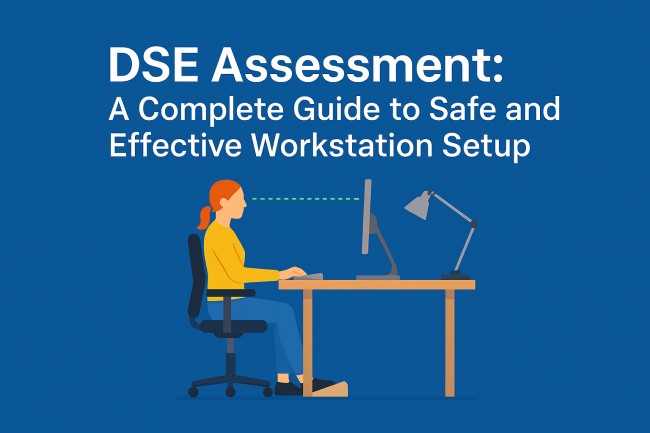
A DSE assessment is an essential workplace process designed to protect employees from health risks associated with using Display Screen Equipment for long periods. In today’s digital environment, millions of workers rely on computers, laptops, tablets, and other screens throughout the day. Without a properly assessed workstation, users may experience discomfort, strain, long-term injuries, and reduced productivity. A DSE assessment ensures that every individual has a safe, supportive, and ergonomically optimised workspace.
The purpose of a DSE assessment is to identify potential health risks, adjust the workstation layout, and create a comfortable setup that meets the user’s needs. This article provides a comprehensive guide to understanding DSE assessment, its components, benefits, and best practices. It also includes related concepts such as DSE risk assessment, DSE assessment template, and general DSE assessments used in workplaces worldwide.
What Is a DSE Assessment?
A DSE assessment is a structured evaluation of how a person uses display screen equipment during their work. The aim is to reduce risks of discomfort, eye strain, fatigue, musculoskeletal disorder, poor posture, or repetitive strain injury.
Why DSE Assessments Are Important
Workstations that are not properly designed can create long-term health complications. Workers may develop back pain, neck strain, wrist discomfort, or eye stress if their setup does not support ergonomic alignment. A DSE assessment ensures:
-
Correct posture
-
Appropriate screen height and distance
-
Proper chair adjustments
-
Adequate lighting with minimal glare
-
Safe use of keyboards and mouse
-
A comfortable working environment
Who Needs a DSE Assessment?
Any employee who uses a screen for more than one continuous hour per day qualifies as a “DSE user.” This includes:
-
Office staff
-
Remote and hybrid workers
-
Call centre employees
-
Designers and digital creators
-
Students using screens for learning
-
Administrative workers
Employers must ensure that these individuals undergo regular DSE assessments to maintain workplace safety.
Key Components of a DSE Assessment
A complete DSE assessment looks at several workstation elements to ensure safety and efficiency. These include:
1. Display Screen Position
The height, angle, and distance of the screen must support natural eye alignment. Improper screen placement can cause neck and shoulder strain.
2. Chair and Seating Posture
A good ergonomic chair should offer:
-
Adjustable height
-
Lumbar support
-
Stable base
-
Comfortable armrests
The user should be able to sit upright with relaxed shoulders and feet flat on the floor.
3. Keyboard and Mouse Setup
The keyboard should allow the user’s wrists to remain straight while typing. The mouse should be easy to reach without unnecessary stretching. Wrist support can further reduce strain.
4. Desk Arrangement
The desk should provide sufficient space for equipment and allow for natural movement. Items used frequently should be easy to reach.
5. Lighting and Glare Control
Poor lighting can cause eye strain and headaches. A DSE assessment ensures the workstation:
-
Avoids direct glare
-
Uses balanced brightness
-
Minimises reflections from windows or screens
6. Environment and Temperature
Noise, temperature, ventilation, and workspace organisation affect comfort and productivity.
Understanding DSE Risk Assessment
A DSE risk assessment is a deeper analysis of hazards related to screen use. It identifies risk factors that may lead to health issues and provides targeted solutions.
Common Risks Identified
-
Slouched or twisted posture
-
Prolonged sitting
-
Incorrect desk height
-
Overreaching for keyboard or mouse
-
Poor lighting conditions
-
Inadequate breaks
Risk Reduction Strategies
A proper DSE risk assessment recommends actions such as:
-
Adjusting chair height
-
Using monitor risers
-
Introducing footrests
-
Encouraging micro-breaks
-
Improving workstation layout
These adjustments help create a balanced and healthier workstation.
Using a DSE Assessment Template
A DSE assessment template provides a structured checklist that helps employers or individuals evaluate their workstation systematically.
What a Template Typically Includes
A standard DSE assessment template may cover:
-
User information
-
Chair and desk settings
-
Screen alignment
-
Keyboard and mouse condition
-
Work routine and break habits
-
Environmental comfort
-
Final recommendations
Benefits of Using a Template
-
Ensures consistency
-
Saves time
-
Helps identify overlooked issues
-
Creates documentation for compliance
-
Supports employee wellbeing
How to Conduct DSE Assessments Effectively
DSE assessments must be accurate, practical, and personalised. They can be conducted by employees through self-assessment or by trained assessors.
Step-by-Step Process
Step 1: Observe the Workstation
The assessor examines how the user sits, works, and interacts with the equipment.
Step 2: Identify Discomfort Areas
The user reports any pain or strain they experience during work.
Step 3: Adjust Equipment
Immediate solutions such as chair adjustments, screen height correction, or better lighting are implemented.
Step 4: Provide Training
Users are educated on posture, break habits, and ergonomic practices.
Step 5: Follow-Up Assessment
Regular reviews ensure that improvements remain effective and no new risks arise.
Benefits of Regular DSE Assessments
Conducting frequent DSE assessments offers several advantages, including:
-
Better employee health and wellbeing
-
Increased productivity
-
Reduced absenteeism
-
Lower long-term health risks
-
Improved comfort during work
-
Enhanced focus and motivation
A safe workstation leads to a more efficient workforce.
Conclusion
A DSE assessment is one of the most valuable tools for ensuring workplace health and safety in the digital age. As screen use continues to increase, proper ergonomic practices have become essential for preventing injuries and improving work quality. By using structured DSE risk assessments, detailed DSE assessment templates, and consistent DSE assessments, organisations can protect employees, boost comfort, and support long-term wellbeing.
A well-designed workstation is not a luxury—it is a necessity for every screen user. Investing time in DSE assessments creates a healthier work environment, enhances productivity, and strengthens overall performance.